
配置开发环境
代码编辑器 (IDE)
克隆仓库
首先确保安装 Git
克隆仓库
sh
git clone https://github.com/pur1fying/blue_archive_auto_script.git配置Python环境
BAAS 的主程序使用 Python 3.9, 推荐安装相同版本
下面将详尽叙述可选的几种配置环境的方法
方案一: 使用 Anaconda (推荐)
1. 安装 Anaconda
2. 创建3.9.21版本的python环境
sh
conda create -n baas_env python==3.9.213. 激活环境
shell
conda activate baas_env4. 安装依赖
- Linux / MacOS
shell
pip install -r requirements-linux.txt- Windows
sh
pip install -r requirements.txt5. 启用环境
在Pycharm中使用conda环境
按照以下步骤启用刚刚创建的baas_env环境
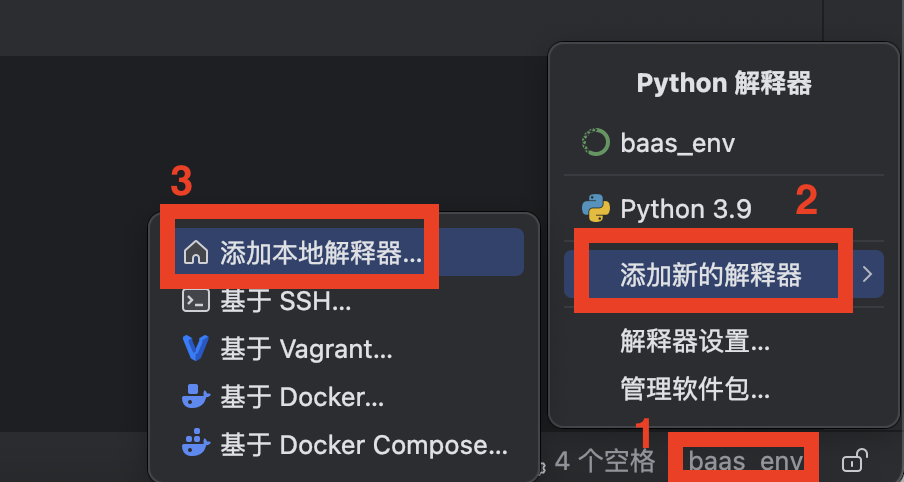
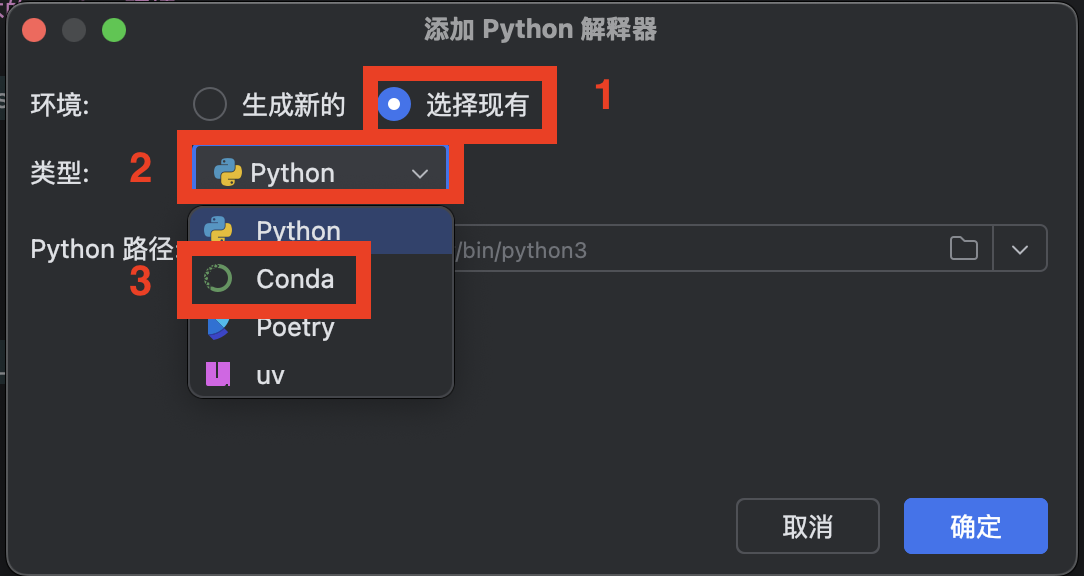
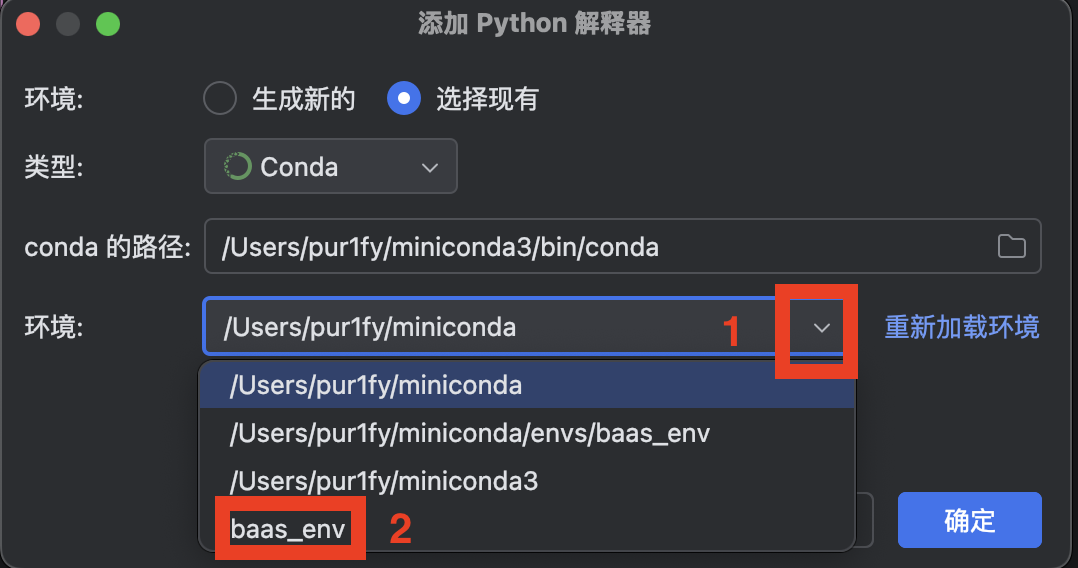
方案二: 使用 python venv + pip
1. 创建虚拟环境
sh
python -m venv .venv2. 激活环境
sh
.\.venv\Scripts\activate3. 安装依赖
sh
pip install -r requirements.tx方案三: 使用 uv
1. 安装 uv
2. 创建虚拟环境
sh
uv venv --python 3.93. 激活环境
sh
.\.venv\Scripts\activate安装依赖
sh
uv sync